Describe the session, tap the muscles and get a workout in seconds. Then log what you eat.
Describe it
Generated for you
Example
Chest & Legs Power
46 min 7 moves Hard effort
Swapped overhead press for landmine press and capped incline at 30° to protect your left shoulder.
- Barbell Bench Press 4 × 6
- Back Squat 4 × 6
- Landmine Press 3 × 10
- Gym
- Functional
- Cardio
- Stretching
- Chest
- Shoulders
- Biceps
- Obliques
- Abs
- Forearms
- Quads
- Calves
One app. The whole day.
From the first idea for a workout to the weekly check-in.
-
01 Build
Say it. Tap it. Train it.
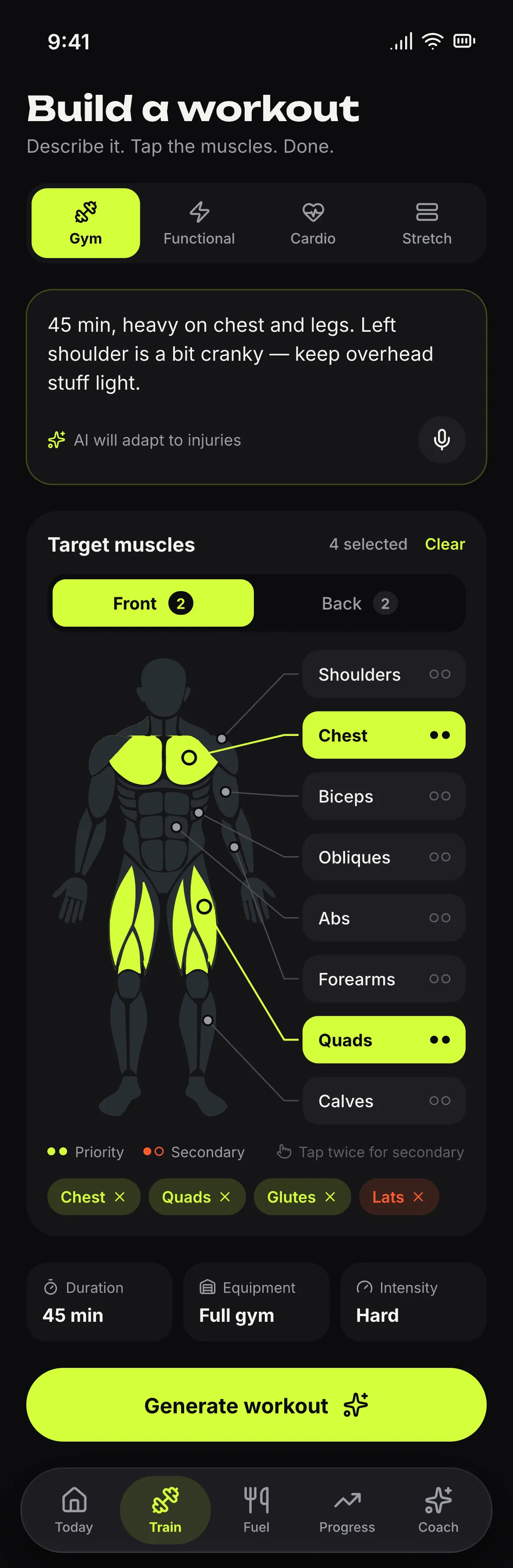
Type or dictate the session you want. Pick gym, functional, cardio or stretching, tap priority and secondary muscles on the body map, then set duration, equipment and intensity. The plan lands in seconds.
- Free text or voice
- Body map
- Adapts to injuries
-
02 Train
Log sets without thinking.
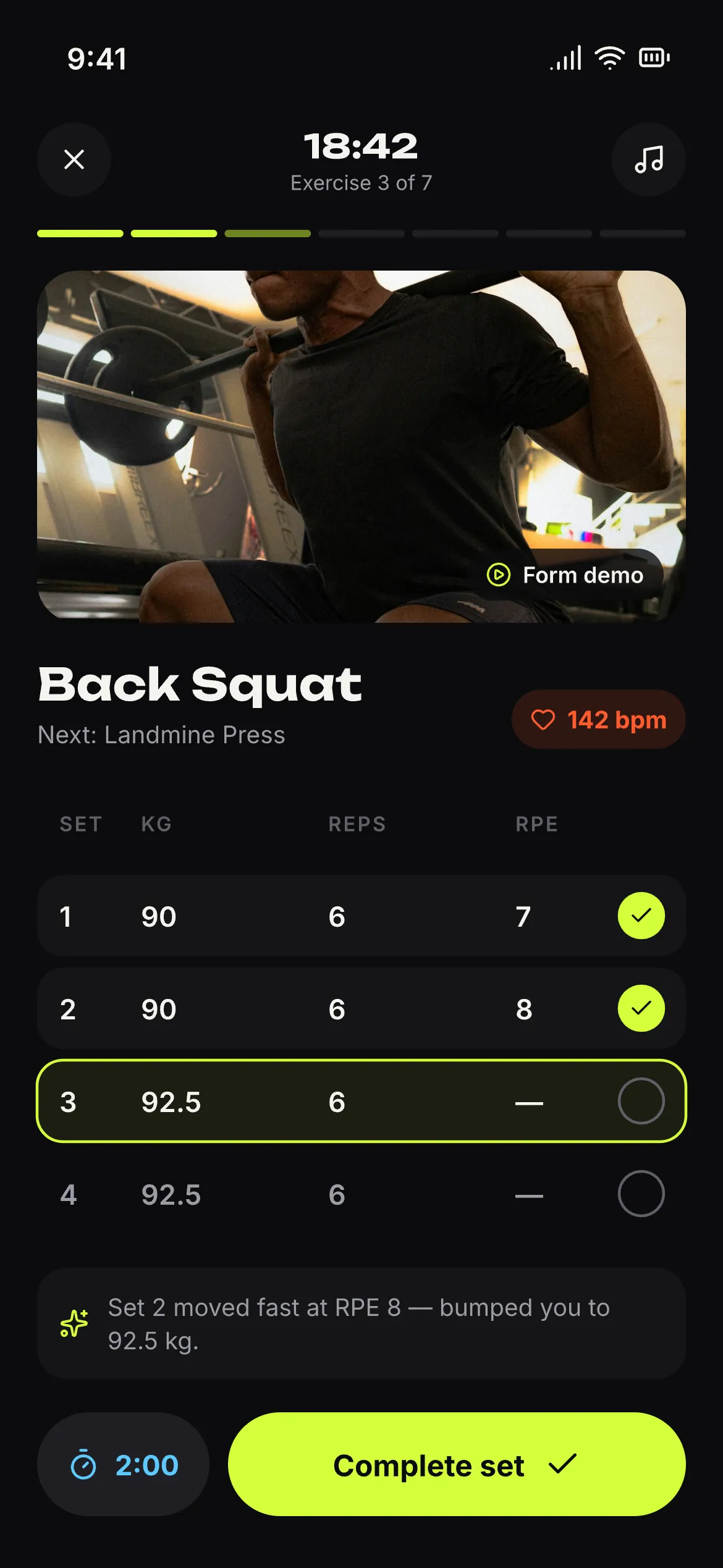
Weight and reps for every set, supersets, a rest timer, and notes per exercise that come back next time. Minimize the workout and keep using the app.
- Supersets
- Rest timer
- Notes that come back
-
03 Fuel
Snap it. Say it. Scan it.
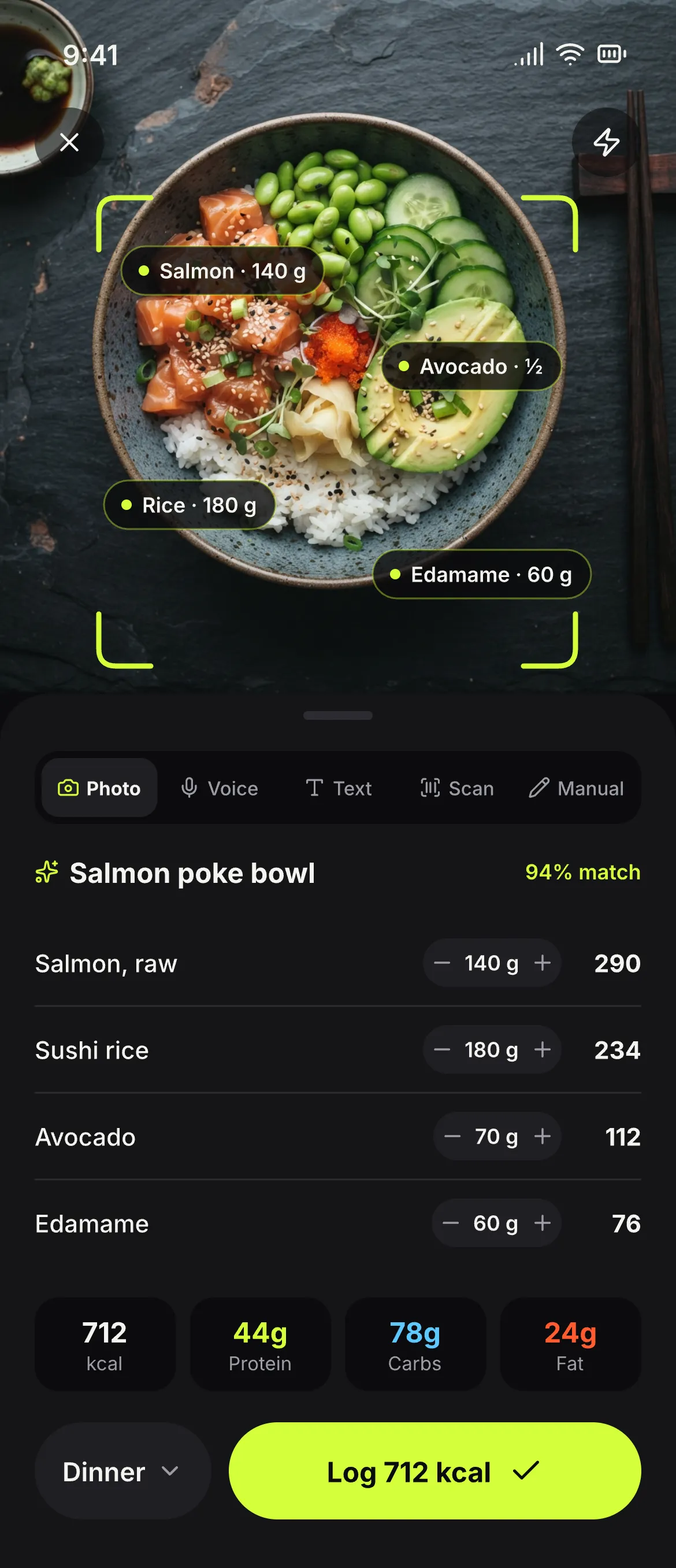
Log a meal by photo, text, voice or barcode, or enter it by hand. Calories and macros add up against daily targets you can set yourself.
- Photo, text, voice
- Barcode
- Your own targets
-
04 Coach
A coach that remembers.
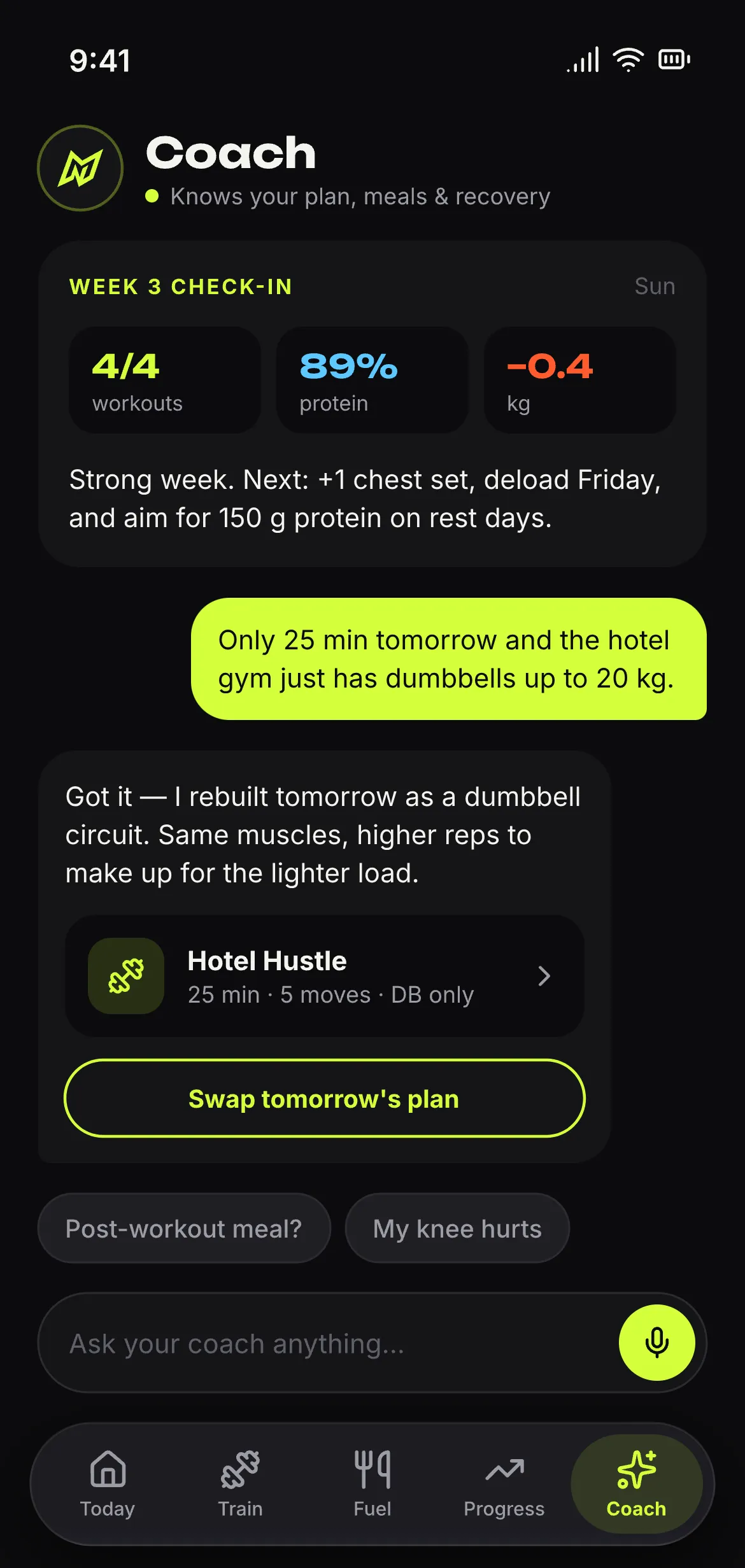
Tell it about your knee, your equipment, your week. If you allow it, it remembers. You can see everything it knows, and make it forget.
- Opt-in memory
- See what it knows
- Forget on request
-
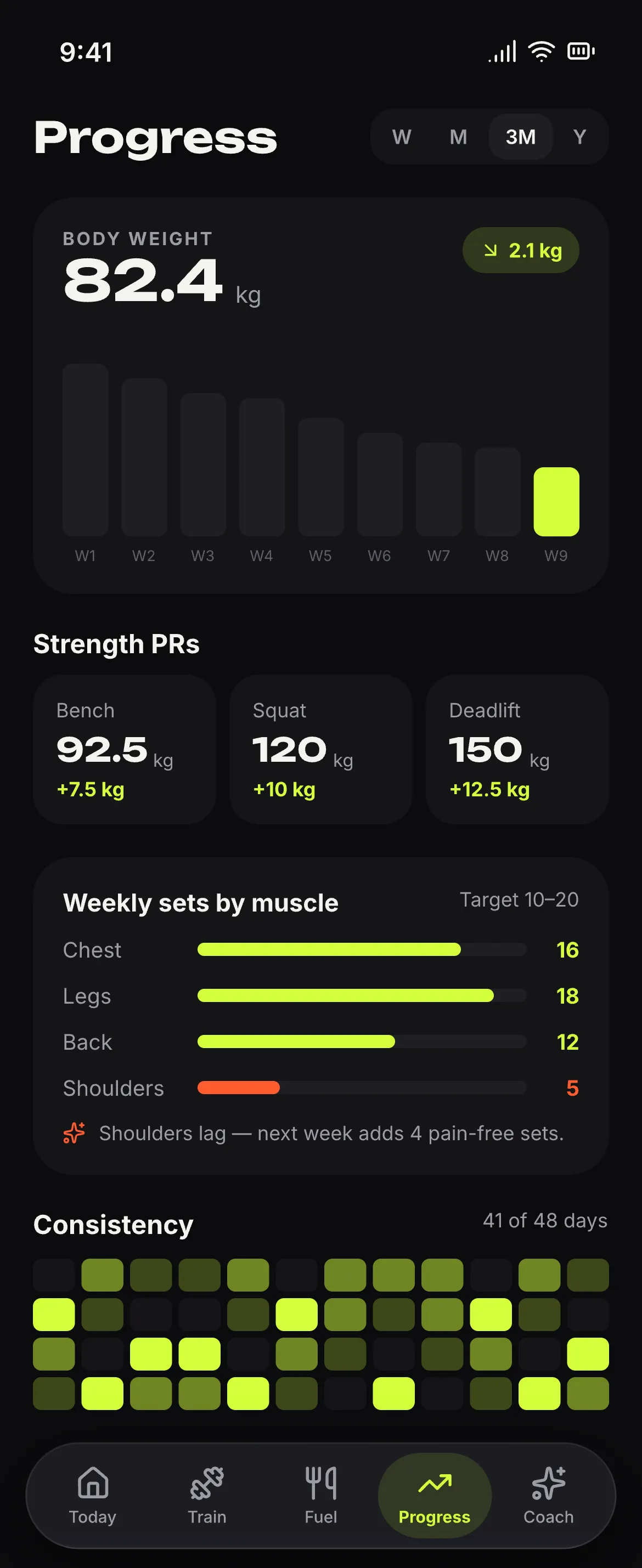
05 Progress
Watch it add up.
Weight, body tracking, personal records, history and a weekly check-in. Apple Health brings in steps, energy, sleep, heart rate and weight.
- Personal records
- Weekly check-in
- Apple Health
870+ exercises. Add your own.
Photo demos and step-by-step instructions for every move. Found one on YouTube, Instagram or TikTok? Paste the link and turn it into an exercise you can plan with and share.
Paste a link
Your exercise
- Link read
- Card drafted
- Ready to plan
Your workout follows you.
Minimize the session and keep using the app. The set and the rest timer stay on the Lock Screen and in the Dynamic Island. Pause and skip your Apple Music without leaving the workout.
Five ways to log a meal.
Calories and macros against daily targets you can set yourself.
-
Photo
Snap the plate.
-
Text
Type what you ate.
-
Voice
Say it out loud.
-
Manual
Enter it by hand.
It remembers. You decide.
The coach can remember injuries, equipment, schedule and preferences. It asks first, shows you everything it knows, and forgets on request.
Example of what it might know
- Injury Left shoulder is cranky. Keep overhead work light.
- Equipment Home gym with dumbbells up to 20 kg.
- Schedule Trains Monday, Wednesday and Saturday.
- Preference Likes supersets. Skips burpees.
Nothing saved. The coach starts fresh.
Turning this off does not delete what is already saved.
- exercises with photo demos
- 870 +
- workout types
- 4
- ways to log a meal
- 5
- languages: English and Ukrainian
- 2
The rest of the kit.
-
Apple Health
Reads steps, energy, sleep, heart rate and weight. More is coming.
-
Works offline
Log your sets in the basement gym. Everything syncs when you are back online.
-
Syncs across devices
Pick up on another iPhone or iPad where you left off.
-
Sign in with Apple
Or skip it and start right away.
-
Apple Music controls
Play, pause and skip from the workout screen.
Built to be safe.
Fitness advice touches your body and your data. We treat both carefully.
-
Adapts to injuries
Tell it what hurts. Plans swap or cap the moves that would aggravate it.
-
Rules enforced in code
Safety limits are checked by code after the AI writes the plan. They are not just a request in a prompt.
-
Your data, yours
Export everything as JSON or delete your account in the app. Deleting removes your data from our servers.
-
Memory is opt-in
The coach remembers nothing until you turn it on. Look at the list. Forget any of it.
No ads. No tracking. No selling your data.
Body Madness is not medical advice. If something hurts, stop and see a professional.
Read the Privacy PolicyGo mad.
Body Madness is coming soon to the App Store.
Coming soon to the App StoreiOS 18 or later